by
You can ship a small 2D game for $0. Just not with half the tools most “free AI” lists recommend.
Plenty of them are free to try and paid to use. ElevenLabs’ free sound effects aren’t licensed for commercial games, and upgrading later doesn’t fix what you already made. Beatoven lets you generate for free, then charges to download.
The stack that actually gets a game out the door: Godot, GitHub Copilot Free, Pixelorama, a CC0 Kenney asset pack and Bfxr. Add AI art only when you hit a real gap. The full breakdown is below.
Includes a hands-on Bfxr-to-Godot test; the AI generators are research-based picks, not a completed output comparison. Meshy and ElevenLabs links marked affiliate may earn us a commission.
The free stack for a small 2D game#
My starting recommendation: Godot + one coding assistant + Pixelorama + a small, consistently styled asset pack + Bfxr. Add AI image generation only for a specific gap. You do not need seven image generators to make one door. If your coding assistant keeps writing outdated GDScript, read how to use AI with Godot 4.
| Job | Start here | The limit that matters |
|---|---|---|
| Build the game | Godot | Free, open-source engine. Include its license notice when distributing the engine with your game. |
| Explain and draft code | GitHub Copilot Free | 2,000 completions/month; chat and agent use are limited. Review and run every change. |
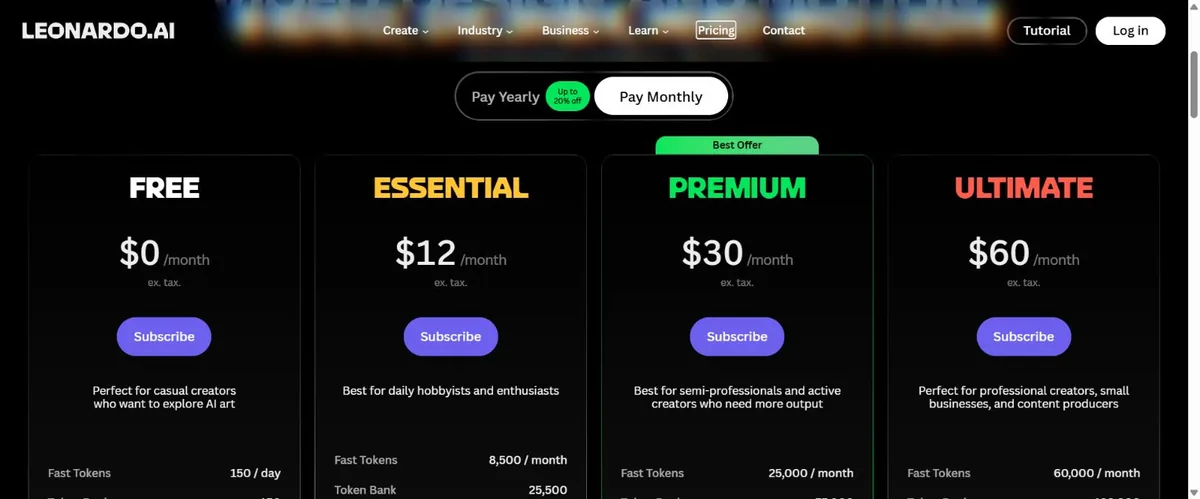
| Explore a 2D art direction | Leonardo Free | 150 daily tokens, not 150 images. Free creations are public; commercial permission is non-exclusive. |
| Fix sprites and animation | Pixelorama | Free editor, not an AI generator. Manual cleanup and consistency are still your job. |
| Fill basic art and UI gaps | Kenney asset packs | Non-AI assets under CC0. Keep the pack’s license file. |
| Make short retro effects | Bfxr | Procedural synthesis, not generative AI. Our WAV export and Godot import check passed. |
| Optional 3D prop | Meshy Free | 100 monthly credits; 10 monthly downloads for Meshy 6 Lite. CC BY 4.0 attribution applies. |
This can keep new tool subscriptions at $0 if you already have a suitable computer and stay within free allowances. It does not mean hardware, your time, every asset license or every publishing platform costs nothing.
Jump to: coding help · 2D art and UI · our sound test · 3D assets · Unity and Godot assistants · free-plan traps · finish a prototype · questions.
Free AI coding help: ask for one working change#
GitHub Copilot Free is a reasonable starting point if your editor supports it. Its documentation lists 2,000 monthly completions and limited chat/agent usage. Do not treat unlimited code suggestions on a different plan as unlimited autonomous game development.
Give the assistant your exact engine version, the scene or component structure, the error message and the smallest relevant script. Ask for an explanation and a minimal fix. A script that compiles can still move diagonally too fast, award a pickup twice or fail when you restart the scene.
Try this prompt: “I am using [exact Godot/Unity version]. Here is my movement script and input setup. Fix diagonal movement so it is not faster than horizontal movement, while preserving analog input below full strength. Change only this behavior. Explain the fix and give checks for idle, horizontal, diagonal and half-strength input.”
Accept the answer only after: the project starts without errors, horizontal and diagonal travel cover equal distances over equal time at full input, and half-strength input moves more slowly. Save a working copy before another change. For Unity-specific choices, use our C# assistant guide.
A browser chat assistant can also explain an error without an engine plugin. Its free usage limits are separate from API billing. A plugin that asks for your API key has not made the model free. We did not complete a comparative coding benchmark for this update, so there is no invented winner or time-saving percentage here.
Free AI art, sprites and game UI: choose the output first#
For a tiny top-down game, write the asset list before opening the generator: one player, four walk frames, one pickup, a wall tile, a floor tile and three UI icons. Pick a canvas size and palette. That stops a nice concept image turning into a week of rebuilding everything around it.
Leonardo: a limited cloud option for concepts and individual assets#
Leonardo’s Free plan currently lists 150 tokens per day and public creations. Its terms summary grants free users non-exclusive, royalty-free commercial use; that is not private or exclusive ownership. Generation cost varies by settings, so we are not converting tokens into a promised number of usable sprites.
Use it for: exploring one prop or visual direction. Check before keeping the result: actual pixel dimensions, background transparency, silhouette at game size and whether it matches your existing palette. A painted checkerboard is not an alpha channel. A pixel-art look is not proof of a clean pixel grid.
Pixelorama and Kenney: the free fallback when generation misses#
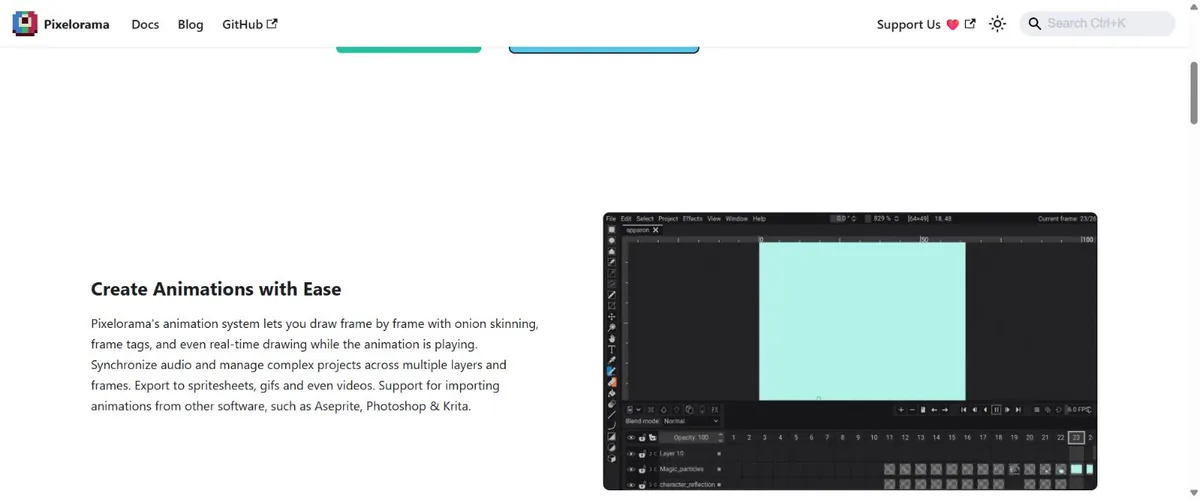
Pixelorama is a free, open-source sprite editor. It handles the part a generator does not reliably finish for you: cleaning edges, aligning frames and editing the same character across an animation. The editor is not itself an AI generation service; any external AI extension has its own access and costs.
For basic sprites, buttons and icons, check Kenney’s CC0 game assets before spending credits. These are non-AI assets. A consistent pack can solve the problem immediately. Keep UI text in your engine rather than baking it into generated artwork, so labels can resize and change language.
Import checkpoint: export a PNG with the transparency and frame layout you need. In Godot 4, use nearest filtering for crisp pixel art and verify the frame dimensions in your animation setup. In Unity, import as a sprite, use Point filtering for pixel art and slice a sheet into its actual frame cells. Check at the intended camera scale, not just in a zoomed preview. See the Godot image-import documentation.
For a deeper tool decision, our pixel-art generator guide separates generators from editors. Our free AI art guide covers licenses and export limits. This page’s job is the whole low-budget workflow.
Hands-on: a free Bfxr sound imported into Godot#
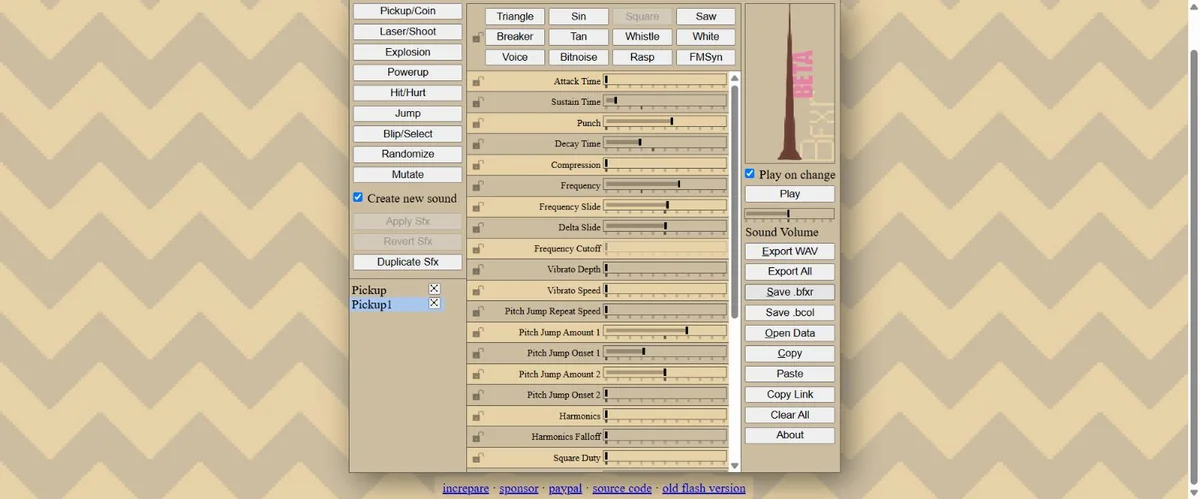
A pickup needs a short, recognizable response. For that job, Bfxr is worth trying before a text-to-audio service. It synthesizes retro effects from parameters. No AI prompt, no account, no generation credits.
What we did: opened Bfxr in Chrome, clicked Pickup/Coin once, exported Pickup1.wav and saved its editable .bfxr preset. The preset identifies version 1.0.4. We then loaded the WAV into an AudioStreamPlayer in a small Godot 4.7.2 web-editor project and ran the scene.
| Check | Observed result |
|---|---|
| Generation and export | Passed: a WAV and editable preset downloaded without an account or payment. |
| Actual WAV file | 19,748 bytes; mono, 44,100 Hz, 16-bit PCM; duration 0.223401 seconds. |
| Godot import | Passed: Godot 4.7.2 loaded the AudioStream and reported the same duration. |
| Cleanup and retries | No audio cleanup; one new Pickup/Coin generation. A default sound was already present on opening the tool. |
| Scope limit | We exercised the playback button, but did not run a listening-quality comparison, loudness test or Unity import test. |
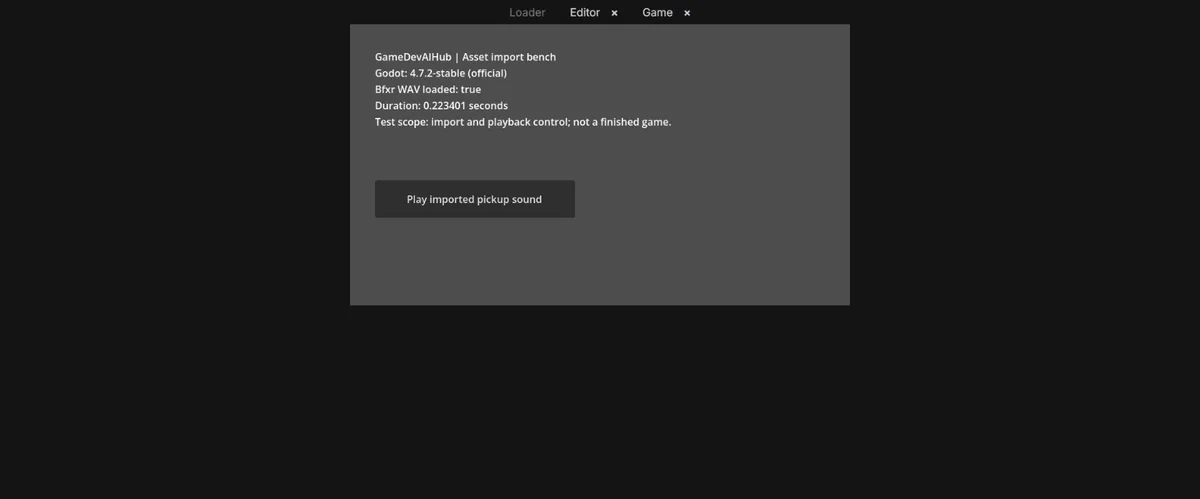
Download the Godot import test project or download the exact WAV. Unzip the project, open project.godot, then run the main scene. The report should show the loaded stream and its duration. The script is a purpose-built test harness, not output from a comparative coding-assistant test.
The native Godot download was blocked by Chrome in our environment, so we used the official web editor. That is an environment limitation, not a finding that the desktop engine is broken. Godot describes the web editor as an experimental/educational option; use the native editor for normal production work.
For ambience or recorded effects, Freesound has different licenses per sound. CC0 and CC BY can support commercial use under their conditions; CC BY-NC does not. Save the individual asset page and required credit. “Downloaded for free” is not a license category.
Free AI for 3D game development: test one prop first#
Meshy is an optional route for a small 3D prop. Its Free plan documentation lists 100 monthly credits and 10 monthly downloads for models made with Meshy 6 Lite. Meshy 6 and Meshy 7 downloads require an upgrade. Credits and downloadable models are different limits.
Free-plan models use CC BY 4.0, with Meshy attribution required. Start with a crate or rock, not your main animated character. Check the downloaded mesh, textures, scale, pivot and collision in your actual project. A good browser turntable does not establish a usable game asset. We have not completed a Meshy generation-and-import test for this update.
For Godot, glTF/GLB is a practical format to investigate in the official import guide. For Unity, verify your chosen format and importer/package requirements before generating a batch. Do not assume the same file has the same import path in both engines.
Unity and Godot AI assistants: free connector, separate model cost#
Unity’s current FAQ distinguishes its in-editor assistant from its MCP server, which connects an external assistant to the editor. The MCP server is free and does not consume Unity AI credits. That does not make the connected model or subscription free. Unity Personal’s in-editor assistant has a trial and paid access; it is not an unlimited free production assistant.
For Godot, begin with ordinary script assistance before adding a project-controlling agent. Check the exact plugin repository, supported engine version, model provider and API costs. Test it on a copy of a small project. A behavior tree that controls an enemy is also a different kind of “AI” from an assistant that writes your code.
We have not run an engine-agent benchmark here. Claims about autonomous scene editing, recovery or time saved belong in a separate test with a recorded version, starting project and inspectable changes.
The free-plan traps to check before you build around a tool#
- Free generation, paid download: Beatoven describes pay-per-track or subscription downloads. Do not budget around the old claim of 15 free commercial minutes a month.
- Free audio, non-commercial use: ElevenLabs Sound Effects (affiliate) can be explored on its free offering, but its publishing policy excludes commercial use of free-plan output. Paying later does not retroactively license earlier free output.
- Open-source code, restricted model: AudioCraft’s AudioGen model card distinguishes MIT code from CC BY-NC model weights. Local execution does not erase the non-commercial restriction.
- Free trial, ongoing production bill: a few signup credits can answer whether a tool works for one asset. They do not establish a sustainable free pipeline.
- Free plugin, paid service: verify API billing, hosting and runtime charges. A free NPC plugin is not a promise of free conversations with every player.
- Local generation, hardware cost: inspect the exact model license and memory requirements. “Stable Diffusion” is a family of models and workflows, not one universal hardware or commercial-use guarantee.
A small build plan you can actually finish#
Use this as a scope, not a promise that everyone finishes in 48 hours: a single-screen collection game. Move, collect five objects, see a win message, restart. No accounts, live NPC service, crafting system or open world.
- First playable: build movement and pickups with plain shapes. Add a win state and restart. Export early enough to catch platform problems.
- One art pass: replace the player, pickup and background with a coherent pack or a small set of checked assets. Test transparency and animation at actual game size.
- One sound pass: add a pickup and win sound. Prevent repeated overlap and provide a mute control. Music and voice are optional.
- One testing pass: restart repeatedly, collect items in different orders, leave and return to the window, and test the exported build. Record actual failures.
- One release pass: check asset credits, engine notices, platform requirements and the jam’s AI policy. Describe the game you built; use real gameplay screenshots.
A useful AI testing prompt: “This is a single-screen collection game with five pickups and a restart button. Propose ten manual tests. For each, give starting state, actions and expected result. Include repeated collision, restarting after victory, focus loss and simultaneous input. Do not claim you have executed any test.” Then run those checks yourself. A generated checklist has found zero verified bugs until somebody uses it.
When is a paid tool worth it?#
Pay when a measured bottleneck justifies it: export access, an appropriate license, privacy, or a repeatable reduction in cleanup. Compare one complete accepted asset with the free fallback before committing to a subscription.
Record tool/model version, prompt or input, settings, attempts, credits spent, cash spent, cleanup time and engine result. Cost per accepted asset = total generation spend ÷ accepted assets. Record cleanup separately. If nothing passes, report a failed test; there is no useful cost-per-asset average to advertise.
Questions about building games with free AI tools#
Can I make a game with very little money and AI help?#
Yes, a small project can use a free engine, limited coding help and free or self-made assets. Keep the scope small enough to finish when the daily credits stop. Publishing fees and commercial-use rights still need checking separately.
Which free AI is best for coding a game?#
Start with an assistant that works with your editor and explains your actual engine errors. Copilot Free is one documented option. There is no supported universal winner in this guide: compare a movement fix and a restart bug in your own project, then judge working code and review effort.
Is there a free AI game UI designer?#
An image generator can suggest a layout or icon direction. You still need real buttons, readable text, focus states and working input in the engine. A free UI pack plus engine controls is often a more direct route for a small prototype.
Can a free AI tool build and publish my whole console game?#
Do not plan around that promise. Generating scripts or art does not establish console access, platform approval, compatibility or a release-ready build. Start with a small desktop or browser prototype, then investigate the target platform’s requirements.
What should I do next?#
Pick your engine and make movement, a pickup and restart work with placeholders. Then solve the one asset problem blocking the next playable build. For that next step, use our game MVP guide. A working room tells you more than another folder of impressive previews.
More guides#
- PixelLab vs Aseprite (2026)
- Meshy vs Tripo: Pricing, Rights & Game Asset Workflows
- Steam AI Disclosure 2026: What to Declare and What It Costs