Your game needs a character, a walk cycle, and a few tiles that belong in the same world. An AI pixel art generator can help with that. But a nice-looking preview tells you very little about the file you’ll actually put in the game.
Start with PixelLab for a sprite-and-animation workflow, Retro Diffusion for dedicated pixel-art generation, or pixie.haus for credit-based experiments. Leonardo is an option for concept exploration with a daily free allowance. A local Stable Diffusion setup offers more control if you can handle the setup. You’ll still want a pixel editor for the cleanup.
Reviewed September 19, 2026. This is a source-checked shortlist, not an “80+ tools tested” ranking. The screenshots show the providers’ public pages and examples, not outputs from a controlled comparison. Recommendations below are based on documented features and workflow fit; output quality still needs a test with your own asset.
Disclosure: This page includes affiliate advertising. GameDev AI Hub may earn a commission if you purchase through an affiliate link.
Choose Your Pixel-Art Workflow
Jump to PixelLab, Retro Diffusion, pixie.haus, Leonardo, Stable Diffusion, Pixelorama, sprite-sheet checks, or commercial use.
| Tool / workflow | Start here when… | Free access and the catch |
|---|---|---|
| PixelLab | You need character rotations, animation, or tilesets. | Limited trial; some tools are excluded. |
| Retro Diffusion web | You want dedicated pixel-art models and animation options. | Starter balance, then pay per generation. |
| pixie.haus | You want to try sprites and animation without a subscription. | 50 signup credits; paid credit packs after that. |
| Leonardo | You are exploring character or environment concepts. | 150 daily tokens; free creations are public. |
| Stable Diffusion + Pixel Art XL | You want a configurable local workflow. | Downloadable model; hardware, setup, and licenses matter. |
| Pixelorama | You need to edit pixels and assemble animation. | Free editor; it is not an AI generator. |
The plan facts are sourced in each section. A free trial lets you evaluate a tool. It does not make that tool a free production pipeline.
What Makes an AI-Generated Sprite Usable?
Start with the job the sprite has to do. A portrait for a dialogue box and a 32 × 32 player character have very different requirements. Calling both “pixel art” does not make them interchangeable.
- A consistent pixel grid. Inspect the actual file at native size and zoomed in. Watch for uneven blocks, blurred edges, and stray semi-transparent pixels.
- A readable silhouette. Put the character against your background. The player should recognize the pose and facing direction without opening an image editor.
- A controlled palette. Match the colors and outline treatment across the asset set. One beautiful sprite can still look wrong beside the other twenty.
- Useful transparency. Check the alpha channel. A checkerboard baked into the image is not a transparent background.
- Animation that holds together. Feet, equipment, proportions, and frame alignment need to remain consistent through the loop.
“Game-ready” should describe the result after these checks. It should not be the default label on every download button.
1. PixelLab: Sprites, Rotations, and Animation in One Workflow
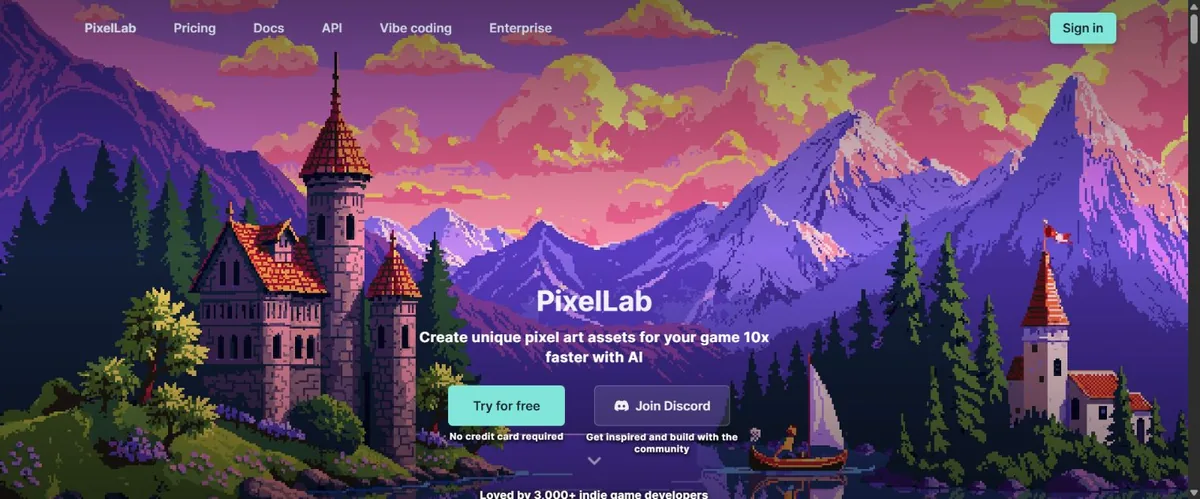
PixelLab documents text- and skeleton-based animation, four- and eight-direction rotations, tilesets, and an Aseprite extension. Its models run in the cloud, so you do not need a powerful local graphics card for generation.
That feature set makes it a sensible first candidate for a top-down character who needs more than one pose. The useful question is whether it can keep your character recognizable through the movements you need.
Free trial: The official FAQ confirms limited generations and a restricted selection of trial tools. Check current pricing before planning a full asset set. A feature shown on the homepage is not necessarily available in your trial.
First test: Make one idle pose and, if your access permits, one short walk cycle. Compare the hands, boots, weapon, and head size across frames. Save the settings and measure how much editing is left.
Already working in Aseprite? Read how PixelLab fits into an Aseprite workflow. Generation and pixel editing are different jobs, and you may need both.
2. Retro Diffusion: Dedicated Pixel Art, with Two Different Products
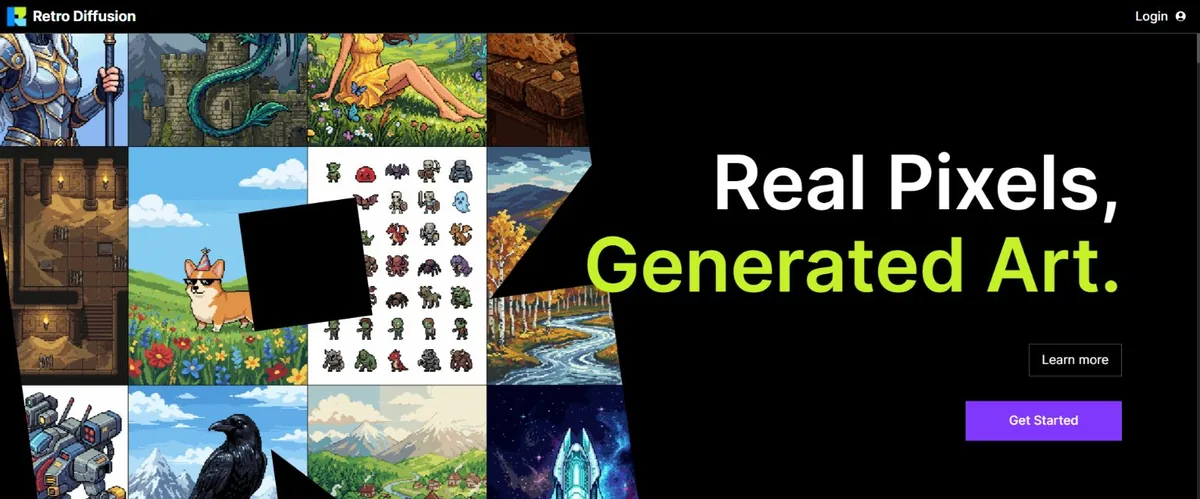
The Retro Diffusion website offers dedicated pixel-art models, reference-based generation, editing, tilesets, and animation workflows. Its published pricing starts around $0.015 per image, with the exact cost shown before generation. New accounts receive a starter balance; ongoing web use is paid per generation.
Do not confuse that service with the local Aseprite extension. The developer’s extension page lists a $65 full version and $20 Lite version, but also says the extension is being phased out for a native editor. Those products use different models and payment arrangements. Check compatibility and the transition notice before buying.
First test: Generate one asset at the resolution you intend to edit. Check how clean the pixel grid is, how many colors you must remove, and whether a second matching asset needs substantial rework. A model’s showcase is a useful preview, not your production forecast.
Choosing between the two dedicated options? Use the Retro Diffusion vs PixelLab comparison for workflow context, and confirm prices against the official pages linked here.
3. pixie.haus: Try Static Sprites and Animation with Credits
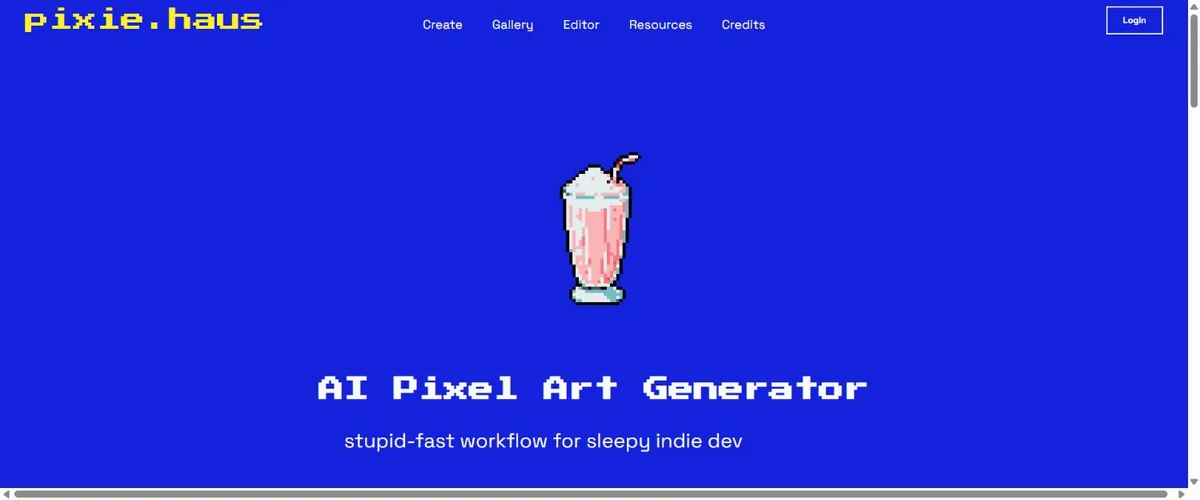
pixie.haus offers image generation, animation from a starting image, image editing, and uploads. Its FAQ currently lists 50 free signup credits. Further purchases are credit packs rather than subscriptions, and purchased credits do not expire.
The number of usable assets you get depends on the model, operation, and retries. Avoid budgeting from a single “cost per sprite” figure. A cheap generation that needs five replacements is not quite the bargain it looked like.
The platform documents GIF and sprite-sheet export for animations. First test: Start with a character image you have permission to use, request a simple idle movement, and check whether the exported sheet preserves the background transparency and frame alignment you need. Inspect the export before spending credits on a whole action set.
4. Leonardo: A Recurring Free Allowance for Concept Exploration
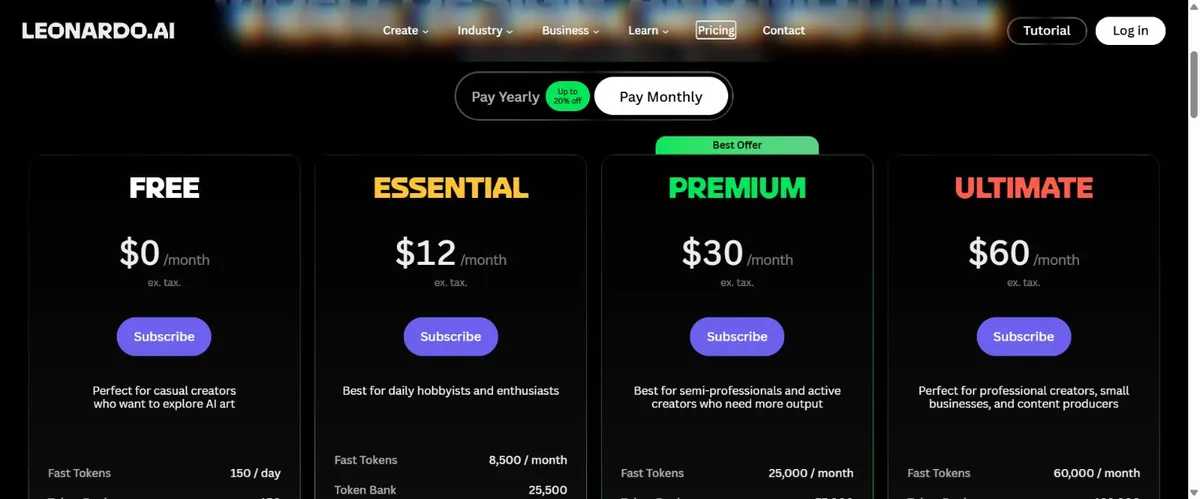
Leonardo’s free plan includes 150 fast tokens per day. Token costs vary by operation. Free creations are public, and users receive a non-exclusive, royalty-free commercial-use license rather than private ownership on the same terms as paid subscribers.
Consider it for exploring a character’s outfit, an environment palette, or the mood of a scene. Do not assume that a general image-generation workflow will deliver a correctly aligned sprite sheet just because the prompt asks for one.
First test: Request one clear character silhouette with a limited palette. Reduce it to your target display size and see what survives. If the face and equipment collapse into noise, simplify the design before generating more variations.
For a wider look at backgrounds, icons, and free-plan restrictions, see the updated free AI art tools for indie game developers guide.
5. Stable Diffusion with Pixel Art XL: More Control, More Setup
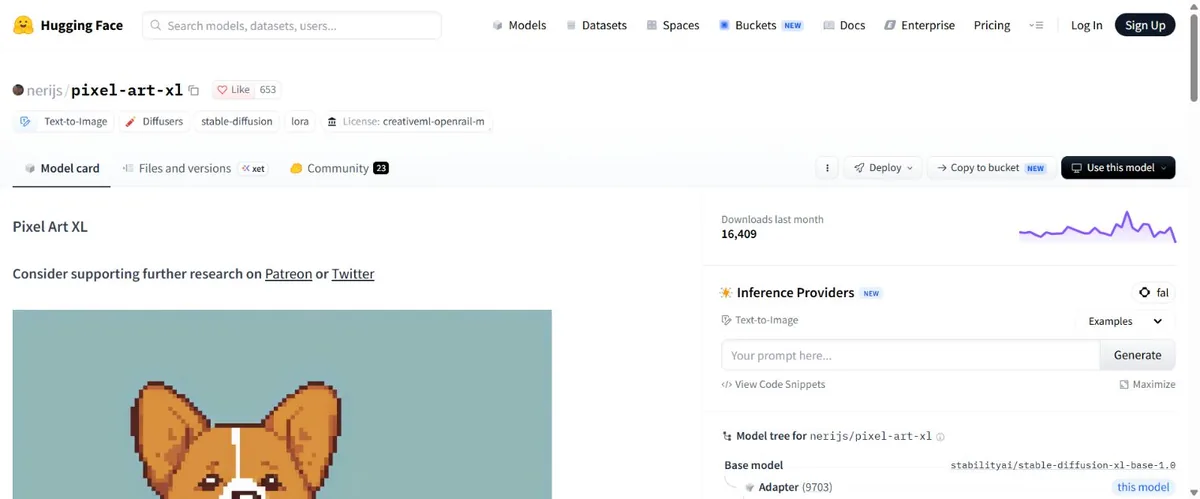
Pixel Art XL by nerijs is a LoRA used with SDXL. A LoRA is an add-on that changes how a compatible base model generates images. It is not a complete, one-click sprite editor.
The model card provides a workflow and recommends downscaling with nearest-neighbor interpolation. It also describes an LCM-based configuration using eight steps and a guidance scale of 1.5. Those settings belong to that documented setup; they are not universal settings for every pixel-art model.
Choose this if: You are comfortable managing a model, a compatible interface, and generation settings. Running locally avoids a hosted platform’s daily credit allowance, but suitable hardware, electricity, storage, and your time still count.
First test: Save the base model, LoRA version, seed, prompt, dimensions, sampler, and settings. Generate a single pose, then inspect the downscaled result. Uniform blocks do not automatically fix a broken silhouette or inconsistent anatomy.
Check the license of the base model and each add-on separately. The Pixel Art XL repository displays CreativeML Open RAIL-M; do not replace a model-specific license check with the vague claim that “Stable Diffusion is free for anything.”
6. Pixelorama: The Free Editor for the Work AI Leaves Behind
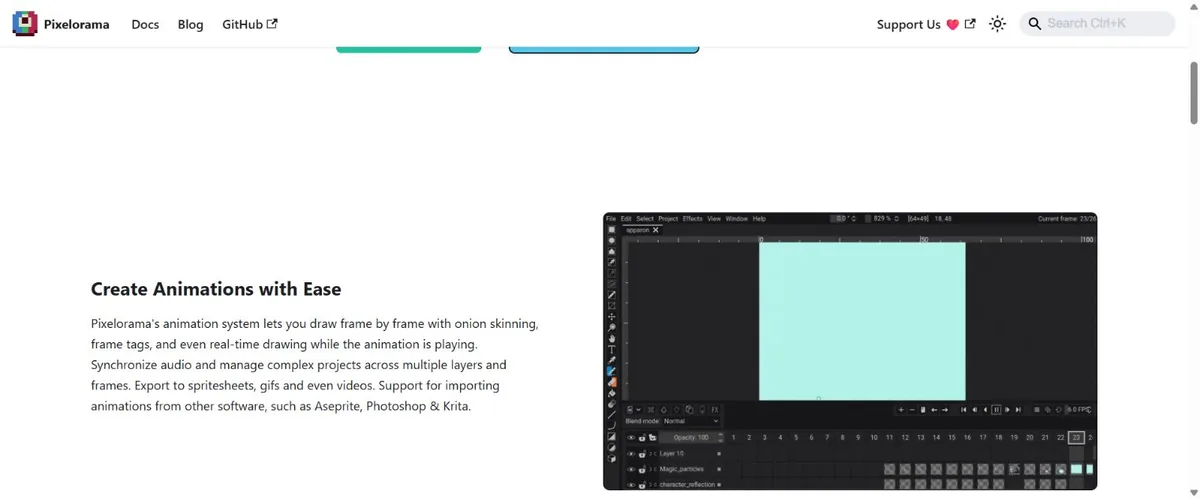
Pixelorama is a pixel-art editor, not an AI generator. Its documented features include an animation timeline, onion skinning, palette tools, tilemap layers, and sprite-sheet export. It is useful alongside any generator when a result needs actual pixel-level editing.
The official FAQ identifies it as free, open-source software under MIT, with a paid Steam version. The installation guide links the free downloads and browser version.
Use it to remove stray pixels, adjust outlines, align frames, and check a loop. Keep the editable project as well as the exported PNG. You’ll appreciate that decision when you need to change the hero’s coat after making twelve animations.
How to Evaluate an AI Sprite Sheet Generator
For a fair comparison, give each candidate the same small brief. Here is one you can adapt:
Original forest courier, green coat, brown satchel, side view facing right, full body, simple readable silhouette, limited muted palette. Target: 64 × 64 pixels per frame. Create an idle pose first, followed by a four-frame walk loop with the same proportions, clothing, and lighting.
Set size, frame count, and background options in the interface where the tool provides them. Prompt text alone does not prove that the exported file follows those specifications.
- Start with the idle pose. Reject an unclear silhouette before asking the tool to animate it.
- Keep the original output. Record the model, date, prompt, settings, cost, and number of attempts. Do not quietly discard failures when comparing tools.
- Inspect the sheet. Check equal frame dimensions, spacing, transparency, feet position, and consistent character scale.
- Play the loop. Watch for sliding feet, disappearing equipment, changing faces, and a jump between the last and first frames.
- Time the cleanup. Compare usable results and editing effort, not just generation speed.
- Import the result. Test it against the real background and at gameplay scale before ordering or generating the rest of the asset set.
This is a suggested test protocol, not a claim that these tools have passed it. No controlled same-prompt output comparison is being presented in this update.
Before You Pay: Compare the Cost of a Usable Asset
Pick a finishable target: one 64 × 64 character, an idle pose, and a four-frame walk loop for one small 2D scene. Keep the same brief when comparing tools. A lightweight 3D prototype needs a separate test for geometry, materials, and engine import; do not judge it by the sprite result.
Record the amount spent, total attempts, accepted assets, cleanup minutes, tool or model version, export format, and engine version. If a result fails, write down why: palette drift, broken transparency, inconsistent frames, or import trouble. Keep the rejected output beside the successful one.
Generation cost per accepted asset = total generation spend ÷ accepted assets. Track cleanup time separately. If you accepted nothing, record a failed test and its cost; do not hide it behind an average. Your own time budget determines whether a cheaper generator is actually cheaper for this project.
Pay for the next batch only after that small scene works. The buying question is simple: does this tool reduce the work between your current prototype and a usable result?
AI Pixel Animation: Test the Boring Movements First
Start with idle and walking. A dramatic attack can hide problems behind effects. A simple walk cycle makes drifting proportions and inconsistent feet much easier to see.
PixelLab, Retro Diffusion’s web service, and pixie.haus all document animation features. The practical choice depends on the controls your plan includes and how well your particular character survives the sequence. A feature checkbox cannot answer that for you.
For top-down games, test the facing directions you actually need. Decide whether four directions are enough before committing to eight. More directions mean more frames to inspect, repair, and keep consistent.
AI Tilesets: One Good Tile Is Only the Beginning
PixelLab and Retro Diffusion both document tileset workflows. Start with one small patch of terrain and test edges, inside corners, outside corners, and material transitions. Repeat the pattern in a 3 × 3 grid to expose seams and obvious repetition.
Keep your collision rules separate from the artwork. A generated wall tile does not tell the engine where the player should stop. Also check the target engine’s tile layout before building a large set; rearranging dozens of tiles is avoidable work.
Which AI Pixel Art Tools Are Actually Free?
For recurring browser access, Leonardo supplies a daily allowance, with the public-output trade-off described above. PixelLab and Retro Diffusion provide trial or starter access. Pixie.haus supplies signup credits. These are different offers, and none should be summarized as “free and unlimited.”
For a local workflow, downloadable models can remove per-generation service fees, provided the licenses and hardware fit. For manual cleanup and animation assembly, Pixelorama has a free version. If you only need a few simple sprites, drawing them directly may be less work than setting up an AI pipeline.
Can You Use AI Pixel Art in a Commercial Game?
It depends on the tool, plan, model, and input material. “Commercial-safe” is too broad a promise for a comparison article to make.
- PixelLab: Its terms permit commercial use of creations, restrict training other models, and make users responsible for third-party rights.
- Retro Diffusion: Its official FAQ permits personal and commercial use of generated art. Review its terms for the service you use.
- pixie.haus: Its FAQ permits commercial use of original generated art. Publishing to its gallery can let other users collect and use the creation.
- Leonardo: Free output carries a non-exclusive commercial license and is public. That matters if you need confidentiality or exclusivity.
- Local models: Check both the base model and add-on licenses. An editor’s license does not settle the rights to imported artwork.
Keep the generation date, source, model, plan, applicable terms, and required credits with each asset. Check your reference images too. A generator’s output license does not grant you someone else’s character or logo.
Quick Answers Before You Pick a Tool
What is the best AI pixel art generator for beginners?
For a game-focused starting point, evaluate PixelLab’s trial or Retro Diffusion’s web service with one simple sprite. Pixie.haus is another browser option for a small credit-based test. Pick by how easily you can download, inspect, and edit your result, rather than by the longest feature list.
Can AI create a transparent PNG sprite sheet?
Some tools document sprite-sheet and transparency workflows, but verify the exported file. It needs a real alpha channel, consistent frame dimensions, and the layout your engine expects. A grid of character pictures is not automatically a usable animation sheet.
Can I turn an existing image into pixel art?
Yes, image-to-pixel workflows can help, but conversion and generation are different tasks. Start with an image you have permission to use, choose a target resolution and palette, then inspect outlines and small details. Reducing a picture’s size does not automatically make its design readable.
Will these assets work in Unity or Godot?
The important part is the exported format and layout. Test a transparent PNG and, for animation, a consistently aligned sheet in your engine. Our Unity and Godot import checklist covers the first checks. Keep source files so you can correct the asset without starting again.
Should I use a general AI image generator instead?
It can be useful for references, mood, and character ideas. For production sprites, judge the actual pixel grid, palette, transparency, and animation. A convincing retro illustration and an editable game sprite solve different problems.
Pick One Asset and Finish It
Choose the workflow that fits the asset blocking your next playable scene. Make one usable version, import it, and record the cleanup it needed. That will tell you more than another afternoon comparing promotional galleries.
Need help with the rest of the project? The AI tools for indie game development guide covers the wider toolchain. For sprite-specific decisions, keep the focus here: clear characters, consistent animation, workable exports, and rights you can document.
Update note: This revision removes the unsupported “80+ tested” claim, corrects trial and pricing descriptions, separates the Retro Diffusion products, and adds dated provider screenshots and official links.