by
by There are hundreds of AI game dev tools. You need about four.
We’d pick Leonardo for art, Meshy for 3D, GitHub Copilot or Cursor for code and SOUNDRAW for music. Each has a free fallback, so you can start at $0.
Pick the tool for whatever blocks your next playable build. Test its export in your engine before you pay. For more options, find your job below. The directory covers Unity, Godot and Unreal.
> Pick your job
What are you trying to make?#
> Top picks
Our indie-budget picks by job#
Picks come from the indie budget stack below. Prices change, so verify current terms before you buy.
Jump to your task: Sprites and textures · 3D assets · Coding help · Music and sound · Animation · Testing · Free and paid stacks
A note on pricing and recommendations: Software prices, free-tier limits, and commercial licensing terms change. Verify the current terms with each provider before purchasing or using generated assets in a commercial game. Tool descriptions in this directory should not be interpreted as firsthand testing unless a documented test is provided.
Art Generation#
Mainstream Art Generators#
Midjourney is the quality benchmark for concept art. Version 7 (April 2025) rivals pro artists. Midjourney supports image generation through both its website and Discord, with web-based editing tools for refining concept art before adapting it into game assets. Price: $10/month basic, $30/month standard. Best for: concept art, mood boards, character designs. Note: outputs need refinement to be game-ready.
Leonardo AI generates concept art, sprites, textures, and other visual assets for game development. Its Free plan provides 150 tokens per day, not 150 image generations; actual image output depends on the model and settings. The Essential plan costs $12/month and includes 8,500 monthly tokens, private generations, and up to 10 personal AI model training sessions per month. Custom model training can help developers develop a more consistent visual style. Best for: Concept art, sprite exploration, textures, and style development. Generated assets may need additional editing before use in a game.
Stable Diffusion (open source) gives unlimited local generation with a decent GPU (4GB+ VRAM minimum). Steeper learning curve, full control. Local generation can avoid subscription fees and service-based generation limits, but commercial-use permissions depend on the specific model, its license, and any other assets or services you use. Price: free (requires hardware). Interfaces: AUTOMATIC1111, ComfyUI. Best for: technical devs who want full control.
Scenario helps game developers generate visual assets and train custom AI models to maintain a consistent art style. Its Starter plan costs $15/month and includes 1,500 monthly credits, but custom model training requires Pro, which starts at $45/month with 5,000 credits. Pro also includes unlimited relaxed generations. Actual credit consumption depends on the model and operation used. Best for: Studios and indie developers who need consistent characters, environments, and other visual assets. Check current pricing and licensing before subscribing.
Pixel Art and Sprite Specialists#
For AI-generated sprites, check the pixel grid, transparent background, frame dimensions and consistency between poses. Import one animation into Godot or Unity before generating the rest of the character set.
For a closer look at sprite quality, animation features, and pricing, explore our dedicated comparison of AI pixel art generators.
PixelLab 💎 fixes a major pain: animating AI-generated sprites. Skeleton-based animation, text-to-animation (“walking knight with sword”), and tileset generation. Most tools give you static images. PixelLab gives you usable sprite sheets.
Perchance AI Pixel Art Generator 💎 is fully free. No sign-up, no limits, no watermark. The best zero-budget option for prototyping.
Same prompt as Pixelab. For being a free tool, it looks ok. Pixelab follows prompt instructions better.
God Mode AI 💎 specializes in 8-directional animation for isometric games. 2D Spine export for Unity, Unreal, and Godot. Also generates VFX (fire, explosions, slash trails) and console-style palettes (NES, Game Boy, SNES).
Price: free tier (250 monthly public generations), paid plans.
Best for: isometric games, retro looks, animated sprite sheets.
Animation made with God Mode AI and Claude. It follows the prompt instructions very well.
Texture & Material Generation#
Need PBR textures without paying for Substance?
GenPBR does browser-based PBR generation up to 1024×1024 free (8K on premium). Everything processes locally.
Toggle3D generates PBR materials from text prompts or reference images. Fast way to build a material library.
Which Art Tool Should You Use?
| Situation | Tool | Why |
|---|---|---|
| Zero budget | Stable Diffusion + Perchance | Unlimited free generation |
| Need consistency | Scenario or Leonardo AI | Custom model training |
| Pixel art game | PixelLab or God Mode AI | Built for sprites and animation |
| Concept art only | Midjourney | Highest aesthetic quality |
| PBR textures | Blender | Free procedural materials and texture baking for game engines. Not an AI generator. |
3D Assets#
For AI-generated game assets, check scale, pivot, materials, collision and mesh complexity in the target engine. Start with a small prop and record the cleanup needed before treating generation speed as time saved.
You can generate game-ready models from text in minutes. Fair warning: AI 3D models usually need topology cleanup before animation. For props, environments, and prototyping, they save real time.
Leading Platforms#
Tripo AI 💎 generates 3D models from text, single images, and multi-view images, with AI texturing, retopology, segmentation, rigging, and animation.
You can upload concept art or a photo and turn it into a 3D asset in seconds, then optimize the mesh, generate PBR textures, rig characters, or prepare the model for Unity, Unreal, Godot, Blender, Maya, and other 3D workflows.
Its Free plan provides 200 credits per month, enough for roughly 13 standard models, with up to 15 exports using H2.5. Free models are public and limited to non-commercial use.
Choosing between the two big 3D generators? Read Meshy vs Tripo.
Pricing: Pro starts at $20/month and includes 3,000 monthly credits, unlimited exports, private models, commercial-use rights, higher processing priority, Smart Mesh, multi-view generation, and more advanced production tools.
Best for: Fast image-to-3D generation, game props, characters, concept assets, and turning existing artwork into usable 3D models. Tripo is especially useful when you want more control over mesh density and topology before sending an asset into a game engine. As with any AI 3D generator, review topology, UVs, textures, rigging, and performance before shipping the model in a game.
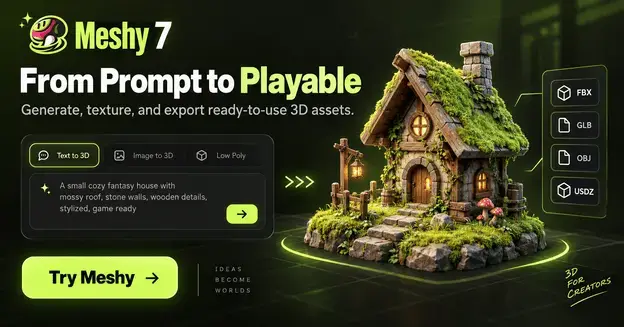
Meshy AI generates 3D models from text and images, with AI texturing, remeshing, rigging, animation, and integrations for popular 3D software and game engines.
You can upload an image and turn it into a 3D model. Or text a prompt and create high-quality models that don’t look AI-generated.
Its Free plan provides 100 credits per month and up to 10 downloads of models generated with Meshy 6 Lite. Models generated with Meshy 6 or Meshy 7 require a paid subscription to download. Choosing between the two big 3D generators? Read Meshy vs Tripo.
Free-plan outputs use a CC BY 4.0 license, which requires attribution for commercial use.
Pricing: Pro starts at $20/month and includes 1,000 monthly credits, unlimited model downloads, and private asset licensing.
Best for: Rapid prototyping, props, and environment assets. Review generated topology, textures, and performance before importing models into a game.
💎Sloyd AI takes a different route. Instead of generating from scratch, it uses parametric templates with slider control. Adjust sword length, blade width, handle style rather than hoping the AI reads your prompt. Unlimited generation on subscription plans.
3D AI Studio stands out for automatic retopology, LOD generation, and surprisingly good human face generation, often the weak point of other tools.
Kaedim pairs AI with professional 3D artist oversight. Output is production-quality, not “good enough for prototyping.” Studios use it for final assets.
Skybox and Environment Generation#
Blockade Labs Skybox AI 💎 generates 8K 360-degree panoramic environments from text in seconds. 30+ art styles, sketch mode for refinement, and 3D mesh export (GLB) for real geometry. Price: free (5 monthly), Pro $20/month (commercial licensing, 32-bit HDRI). Users: NVIDIA, T-Mobile.
Promethean AI builds 3D environments from plain language (“damaged spaceship interior with exposed wiring”). PlayStation Studios uses it. Works with Blender, Unreal, and Unity. Free for indie developers under revenue thresholds.
Engine Plugins
Unity’s AI Tools 💎 (beta) are available for Unity 6.0 and newer through an optional package. The suite includes a project-aware AI assistant, asset generators, an AI gateway, and an MCP server for connecting external AI agents. Unity Personal users can access the assistant through a limited free trial, followed by a paid subscription. Eligible Unity Pro, Enterprise, and Industry subscriptions include assistant access.
Best for: Unity-specific coding assistance, asset generation, and editor automation. Check current pricing and credit allowances before subscribing.
Polyhive Unity Plugin 💎 generates AI texture maps on OBJ models directly in Unity. Plugin is free; 200 credits come with Plus plans at $20/month.
AIAssetGeneration 💎 (open source, MIT) connects ChatGPT and DALL-E for script, shader, and texture generation in Unity. The plugin is free; model/API usage is billed separately under the provider’s terms.
Gscatter 💎 is a free Blender add-on built on Geometry Nodes. It helps developers distribute trees, grass, rocks, and other objects across terrain to create natural environments. The add-on is free for commercial use, but Graswald’s downloadable assets have separate licensing conditions. Check individual asset licenses before including them in a commercial game. Best for: Environment building and foliage placement in Blender. Note: Gscatter is a scattering tool, not an AI environment generator.
Music and Sound#
Music Generators#
SOUNDRAW generates instrumental music with controls for adjusting arrangements and downloading stems. Its Creator Plan permits licensed tracks to be used as background music in commercial video games. SOUNDRAW states that its AI is trained on music produced by its in-house team, but this does not mean users own the generated recordings or have unrestricted usage rights. Rhythm games, standalone music distribution, and Content ID registration have additional restrictions. Pricing: Check SOUNDRAW’s current plans before subscribing.
Best for: Background music, menu themes, and ambient tracks.
Suno AI generates music with vocals or instrumentals from text prompts and provides editing and stem-separation features on eligible paid plans. Its Free plan includes 50 daily credits, but songs created on that plan are restricted to non-commercial use. Paid subscribers receive commercial-use rights for eligible songs created and downloaded under their subscription, including use in video games. Upgrading later does not automatically grant commercial rights to previously generated free-plan songs. Commercial-use rights also do not guarantee copyright protection.
Pricing: Check Suno’s current plans, download allowances, and licensing terms before purchasing.
Best for: Game soundtracks, title themes, and experimental music.
Beatoven.ai 💎 generates AI background music and sound effects for games, videos, and other projects. You can explore its generation tools through a trial, but don’t assume free tracks include licensed downloads. Eligible downloaded tracks come with a non-exclusive license that permits use in games under Beatoven’s terms. Pricing: Check the current plans for download allowances and commercial-use conditions before purchasing.
AIVA 💎 focuses on orchestral and cinematic music, with 250+ styles plus MIDI and sheet-music export. The Free plan is non-commercial. AIVA’s Standard plan allows limited monetization on platforms such as YouTube, Twitch, TikTok, and Instagram, but it does not provide the broader rights needed for a commercial game release. For commercial game projects, the Pro plan is the relevant option because AIVA assigns full copyright to the subscriber for downloaded compositions.
Pricing: Free for non-commercial use, Standard from €11/month billed annually, and Pro from €33/month billed annually, plus VAT where applicable.
Best for: RPGs, adventure games, and cinematic soundtracks where you need clearer commercial rights.
Mubert 💎 does real-time AI music with API integration for in-game adaptive soundtracks. If you’re building procedural or dynamic music, this is the tool.
Sound Effects#
ElevenLabs Sound Effects 💎 generates custom sound effects from text prompts, including footsteps, explosions, ambient sounds, and UI effects. Its Free plan is limited to non-commercial use. The Starter plan costs $6/month and includes commercial licensing for eligible sound effects generated during a paid subscription. Paid-plan outputs can be used in commercial games, subject to ElevenLabs’ terms.
Best for: Custom game sound effects, environmental audio, and rapid sound prototyping.
MakeSFX was built for game developers. UI clicks, weapon sounds, footsteps, magic spells, environmental audio in 30 seconds. Royalty-free commercial license included.
SFXR/Bfxr 💎 (open source) is still the classic for retro and chiptune SFX. Free.
LoudMe 💎 generates hyper-realistic environmental sounds (nature, urban, machinery, creatures) from text.
Audio Middleware#
FMOD and Wwise are audio middleware tools for implementing interactive music, spatial audio, and dynamic sound effects in games. FMOD offers a free Indie license for eligible developers with less than $200,000 in annual revenue or funding and projects with development budgets below $600,000. Project registration and attribution are required. Wwise offers a free Indie Core license for games with production budgets below $250,000, although certain premium plug-ins and support services cost extra.
Best for: Developers who need audio systems that respond dynamically to gameplay. Check each provider’s current licensing requirements before releasing a commercial game.
Steam Audio 💎 (open source, from Valve) gives spatial audio, occlusion, and physics-based reverb. Plugins for Unity, Unreal, FMOD, and Wwise. Free.
Voice and Dialogue#
Text-to-Speech
ElevenLabs 💎 generates AI voices for NPC dialogue, narration, and character voiceovers. Its Free plan includes 10,000 monthly credits but does not permit commercial use. The Starter plan costs $6/month, includes 30,000 monthly credits, and provides commercial licensing for eligible content generated during a paid subscription. Audio created on the Free plan does not automatically gain commercial rights if you upgrade later.
Best for: NPC dialogue, narration, and character voiceovers. Check current credit allowances and licensing terms before releasing your game.
I use this. The voice cloning is exceptional. Clone someone’s voice, you know, and you get a unique character in your game that I hope will sell well.
Fish Audio 💎 provides AI text-to-speech, voice cloning, emotional voice controls, and a low-latency API for interactive applications. Developers can use its hosted service or explore downloadable Fish Speech models. However, the downloadable models are released under a research license that permits non-commercial use; commercial self-hosting requires a separate license from Fish Audio. Hosted API usage has its own pricing and terms.
Best for: NPC dialogue, character voices, and developers building real-time voice systems. Verify commercial permissions for your chosen service, model, and voice before shipping a game.
Dynamic NPC Dialogue
These go past text-to-speech. They make NPCs that hold real conversations.
Inworld AI provides real-time voice and AI infrastructure for interactive characters and NPCs. Its technology supports conversational experiences that can respond to player speech, world state, and story context. Developers can combine speech recognition, language models, and text-to-speech to build interactive dialogue systems.
Pricing: Costs depend on the services and usage involved. Check Inworld’s current pricing calculator before estimating the cost of running AI-powered NPCs in a released game.
Best for: Developers building real-time conversational characters.
Convai 💎 gives real-time open-ended conversations with NPC actions based on environmental understanding, lip-sync, and MetaHuman support. Unity and Unreal plugins are free on their marketplaces. Often overlooked next to Inworld.
Eastworld 💎 (open source, Apache 2.0) creates NPCs with backstories, lore knowledge, and custom dialects, plus built-in world action. Free models on Hugging Face.
If you’re considering Claude for your project, read our Claude game development guide for Unity, Godot, and Unreal workflows, setup instructions, practical prompts, and limitations.
Code Assistants#
For Unity C#, Godot GDScript or Unreal C++, give the assistant your exact engine version, relevant script and error message. Ask for one change and verify it in a copy of the project.
AI coding assistants can help you write scripts, investigate errors, and make changes across multiple project files. The time saved depends on the task, and every suggested fix still needs to be reviewed and tested.
General Assistants#
GitHub Copilot provides AI-assisted code completion, chat, and coding agents for game development workflows, including Unity C# and Unreal Engine C++. Its Free plan is available to individual developers and includes up to 2,000 code completions per month, plus limited chat and agent usage. Eligible students, teachers, and open-source maintainers may qualify for additional benefits. Pricing: Free plan available; Pro is listed at $10/month. Check current eligibility and usage allowances before subscribing.
Cursor gives deep codebase understanding with multi-file context. Agent Mode handles complex edits across a whole project. Price: Pro $20/month. Best for: complex, interconnected game systems.
Devin Desktop (formerly Windsurf/Codeium) 💎 offers a free coding environment with unlimited Tab completions and inline edits. Its free plan has a limited allowance for AI agents and restricted model availability, so it isn’t an unlimited AI coding subscription.
Best for: Indie developers who want free code completion and occasional agent-assisted development. Check the current plan before relying on it for larger projects.
Unity Tools#
Bezi 💎 reads your entire Unity project hierarchy (assets, scripts, prefabs) and understands context. Agent mode handles multi-file changes while analyzing multiplayer sync issues and hard bugs.
Unity’s in-editor AI assistant 💎 (beta) provides project-aware coding assistance, helping developers inspect their scenes, generate scripts, plan changes, and automate supported editor tasks. The beta supports Unity 6.0 and newer, but requires installation and setup. Access and usage allowances depend on your Unity plan.
Best for: Developers who want AI assistance directly inside the Unity Editor.
JetBrains Rider has deep Unity integration with profiler data, scene debugging, and MonoBehaviour support. Free for non-commercial use.
Unreal Tools#
Ludus AI 💎 is UE5-specific, generating C++, 3D models, and functional Blueprints with real knowledge of Nanite, Lumen, and MetaHuman workflows.
Node to Code 💎 (open source) converts Blueprints to C++ with one click. Supports Claude, Gemini, and OpenAI models.
Godot Tools#
Godot Copilot 💎 gives in-editor completions with automatic GDScript syntax for Godot 4.
AI Assistant Hub 💎 embeds multiple AI assistants in Godot’s editor using Ollama for free local inference. Works fully offline.
Godot AI Suite 💎 ($5 on itch.io) bridges Godot with ChatGPT, Claude, and Gemini. Agent Mode executes plans with a visual diff viewer for approving changes.
NPC Behavior#
Past dialogue, AI now drives NPC decision-making.
Kythera AI is professional middleware with 120+ behavior tree nodes, 2D/3D navigation, spatial query systems, and real-time debugging. Used in Star Citizen. Enterprise licensing.
Unity ML-Agents 💎 is an open-source toolkit for training intelligent agents using reinforcement learning and imitation learning. Developers can train NPC behaviors in simulated environments, then export the trained models for use in Unity games. During normal gameplay, agents use their trained models to make decisions based on observations; they do not automatically continue learning unless you implement a separate training workflow.
Price: Free and open source.
Best for: Enemy behaviors, autonomous agents, and AI-driven gameplay testing.
Beehave 💎 (open source, MIT) provides solid behavior tree AI for Godot.
Gigax + Cubzh 💎 (open source) offers fine-tuned models for NPC interactions using function calling. Free models on Hugging Face.
Narrative and Story#
Story and Lore#
NovelAI is strong at long-form game lore, with a Lorebook system for consistent worldbuilding, multiple AI models, and built-in image generation. Price: from $10/month. Best for: RPGs, visual novels, games with deep lore.
Sudowrite has professional fiction tools: Describe (5-sense scene detail), Expand/Rewrite, and style emulation. Price: from $19/month (student pricing available).
DreamGen 💎 has the most generous free tier, with a role-play mode for multi-character interactions.
Game-Specific Dialogue#
LoreCraft AI 💎 generates dialogue for RPG Maker, Unity, Godot, and Unreal. 50 free daily generations, anti-repetition systems, native engine export.
Writecream RPG Dialogue Generator 💎 is 100% free, no login.
iWeaver AI 💎 generates branching conversation trees with export to Unity, Unreal, and Zapier. 15 languages, JSON/script output.
Quest Generation#
AI Quest Generator 💎 creates complete quests with storylines, images, and items.
Worldbuilding#
World Anvil has 25+ worldbuilding templates, interactive maps, and timelines. 1.5M+ users. Free tier; Journeyman $5/month for unlimited private worlds.
LegendKeeper 💎 does real-time collaborative worldbuilding with offline support.
Friends & Fables 💎 has fully free 5e-compatible location, character, and item generators with interactive maps.
Level Design#
Promethean AI generates 3D environments from natural language. Describe it, and it assembles props, lighting, and terrain. Free for indie developers.
levelgen.ai 💎 does free procedural 2D level generation with theme-based visualization and professional layout export.
Charmed Tilemap Generator 💎 (open source) generates tilemaps for 2D dungeon-crawlers using Stable Diffusion.
donjon RPG Tools 💎 delivers random generators: 5 Room Dungeons, monsters and traps, NPC generators, world maps. Free.
Vondy AI Dungeon Generator 💎 creates D&D-style dungeons, fantasy maps, and character art. Free tier.
Animation#
Motion Capture Alternatives#
DeepMotion turns webcam or smartphone video into 3D animation. Face and hand tracking, multi-person support (up to 8), auto-rigging. Price: free (60 monthly credits), Starter $9/month (annual, commercial use).
Remocapp 💎 does real-time AI mocap with two webcams. Facial capture, MetaHuman support, free exports.
Move AI 💎 captures motion with just a smartphone. No suit, no markers.
Character Animation#
Cascadeur gives physics-based AI animation with AutoPosing and AutoPhysics for natural movement. Price: free (non-commercial), Indie tier for revenue under $100K. Best for: humanoid character animation, action sequences.
Motorica.ai 💎 generates procedural full-body animation from minimal input.
AnimationGPT 💎 (open source) generates BVH motion files from text, trained specifically on game combat and action moves.
Sprite Animation#
PixelLab and God Mode AI (in the Art section) handle sprite animation better than general-purpose tools.
DomoAI 💎 transfers motion from reference videos to any character.
Testing and QA#
For a small prototype, start with repeatable checks: movement, collisions, score updates and restart. An AI game-testing tool is useful only if it reproduces failures you can inspect. A generated checklist is a plan, not evidence that the build passed. Our beginner’s guide to making a game with AI has a test card you can use for any feature.
modl.ai leads with AI-driven QA bots that autonomously explore environments, catching bugs, crashes, and performance issues. CI/CD integration.
nunu.ai 💎 (Y Combinator backed, $6M raised March 2025) runs multimodal AI agents that explain decisions like human playtesters. Detailed, interpretable reports.
Regression Games 💎 offers Unity-specific AI agent testing with a lightweight SDK.
Filuta AI 💎 uses planning agents for adaptive test automation. Tests evolve as your game changes.
Marketing#
Trailer Creation#
Runway ML leads AI video with Gen-3/Gen-4 models, video inpainting, 4K upscaling, and lip sync. Price: free (125 watermarked credits), Standard $12/month, Pro $28/month.
Reelmind.ai 💎 turns raw gameplay footage into console-quality trailers with action detection, narrative structuring, dynamic camera angles, and soundtrack sync.
FlexClip 💎 has free gaming trailer templates with AI voiceover and script generation.
Social Media#
OpusClip turns long videos into short clips with AI highlight detection and a Virality Score. Price: free (60 monthly minutes), Pro about $19/month.
CapCut does AI clip generation, auto-captions, and trendy templates. Strong free version.
Steam Optimization#
Steamkit 💎 has Steam-specific tools: capsule image generator, page analyzer, revenue calculator, 30+ language translation. Free tools available. Before you publish, check the Steam AI disclosure rules.
IMPRESS Games 💎 offers Coverage Bot (Twitch/YouTube streamer alerts), Press Kitty (free press kit maker), and Steam analytics. Built by indie developers for indie developers.
Game Design#
Ludo.ai gives game research and design help: Top Charts Blender (fuses successful game elements), AI market trend analysis, sprite and icon generation, and a Playable Generator (text-to-prototype). Price: Indie $20/month, Studio $300/month.
Rosebud AI 💎 offers “Prompt to Game.” Describe your idea, AI generates code, assets, and animations. Publish via URL for free. Strong for game jams.
FRVR AI 💎 creates complete games from descriptions. Code to graphics. Solo creators can ship finished games.
Upit 💎 generates code, graphics, and sound from text with the AVA AI assistant. Free, with creator competitions ($2,500 prizes).
Want to turn an idea into a playable prototype? Follow our step-by-step guide to vibe coding a game for a practical workflow covering planning, prompting, testing, and debugging.
Budget Recommendations#
Zero Budget ($0/month)#
For free AI tools for game development, check generation limits, downloads and commercial use separately. Our free-tools guide covers those restrictions and includes a downloadable Godot sound-import test.
| Category | Tool | Why |
|---|---|---|
| Art | Stable Diffusion + Perchance | Unlimited local plus free web-based |
| 3D | Blender + Meshy free tier | Create and edit assets in Blender. Meshy includes 100 monthly credits and 10 Meshy 6 Lite downloads. Commercial use requires attribution. |
| Audio | LMMS + SFXR/Bfxr | Free music composition and retro sound effects. Not AI generators. Check third-party sample licenses. |
| Voice | Audacity + self-recorded dialogue | Record and edit original dialogue for free. Not AI text-to-speech. Obtain permission for any third-party voices or recordings. |
| Code | Devin Desktop (formerly Windsurf) | Free Tab completions and inline edits; limited agent usage |
| Animation | Blender | Free animation and export for commercial game projects. Not a dedicated AI animation generator. |
| Marketing | FlexClip + Steamkit | Free templates plus Steam tools |
Indie Budget ($50 to $100/month)#
Treat this as an example shopping list, not a monthly bill you need to copy. Choose the category blocking your project and verify the billing term before comparing prices. Skip voice or 3D subscriptions if your game does not need them.
| Category | Tool | Cost |
|---|---|---|
| Art | Leonardo AI Essential | $12/month |
| 3D | Meshy Pro | $20 |
| Audio | SOUNDRAW | $17 |
| Voice | ElevenLabs Starter | $6/month |
| Code | GitHub Copilot or Cursor | $10 to $20 |
| Animation | DeepMotion Starter | $9 |
| Total | $74–$84/month |
Professional Stack: Build Your Own Studio Budget#
Pro, custom budget. A studio-oriented selection of advanced tools. Costs depend on the subscriptions and services you actually need.
| Category | Tools |
|---|---|
| Art | Scenario Pro ($45) + Midjourney ($30) |
| 3D | Meshy Studio ($60) + Layer AI |
| Audio | Replica Studios Pro + SOUNDRAW |
| Voice | Inworld AI Professional |
| Code | Cursor Pro + Bezi |
| Design | Ludo.ai Studio ($300) |
| Testing | nunu.ai or modl.ai |
Before You Start#
Licensing matters. Free tiers often restrict commercial use. Verify terms before release. Suno and Udio face ongoing copyright litigation.
AI assets need polish. 3D models usually need retopology for animation. 2D assets often need touch-ups for consistency. Budget time for refinement.
Style consistency is hard. Custom model training can help with consistency, but inspect the generated set together before accepting it.
Ethical sourcing matters to players. Beatoven.ai is Fairly Trained certified. Replica Studios has SAG-AFTRA actor consent. Some players actively avoid games that use AI.
Choose Your Next Step#
Start with the one task slowing down your game. Test a tool on a real project, check whether its output works in your engine, and verify its pricing, export options, and commercial-use terms before subscribing. Add more tools only when they solve a problem your existing workflow cannot.
More guides#
- How to Use AI With Godot 4 (2026 Guide)
- Claude Code Unity MCP Setup: 3 Routes Compared
- PixelLab vs Aseprite (2026)
- Retro Diffusion vs PixelLab (2026)
- Best AI Sprite Sheet Generators (2026)